Bills Must Be Paid Controls and Cursor Guide
Learn Bills Must Be Paid controls: mouse hover smashing, hammer movement, cursor settings, stamina drain, and crash launch tips.
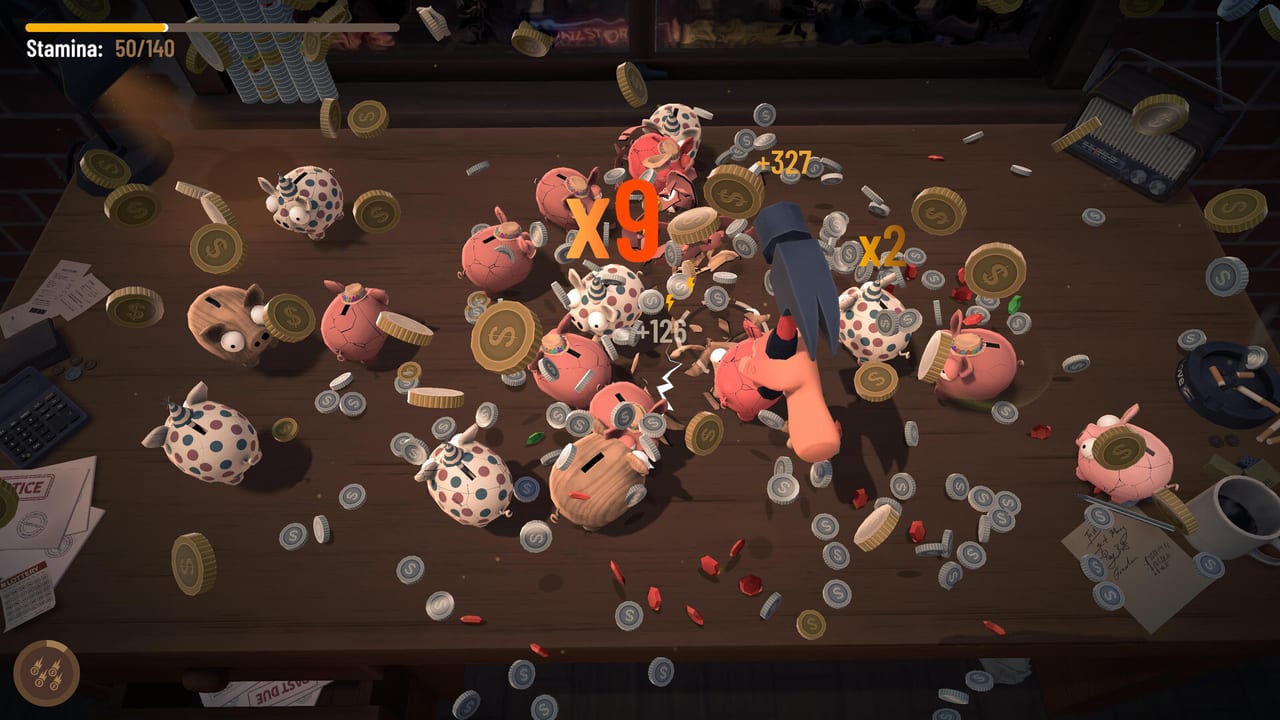
How the hammer actually works
Bills Must Be Paid is mouse-first. You are not button-mashing a clicker. You move the pointer so the hammer sits over piggy banks, and the hammer swings while you hover. Left mouse movement is how you reposition across the desk. The fantasy is simple, but the skill is pathing: every wasted sweep burns time and stamina without converting targets into coins.
If you come from idle games, unlearn the idea that spam equals power. If you come from precision shooters, unlearn the idea that tiny corrections are free. Here, motion itself is a resource. Keep the hammer near productive clusters, anticipate spawns, and only travel for targets that beat the opportunity cost. The How to Play page covers the wider loop; this page stays on control feel.
Cursor settings from the demo patch
Demo update v0.2.7 added cursor settings so you can change cursor size, color, and speed. Those options matter more than they sound. A cursor that is too small can get lost in particle chaos. A cursor that is too fast can overshoot Tourist and El Loco paths. A color that blends into the desk makes rare targets harder to track under bill stress.
Spend one quiet minute in settings before a serious run. Tune for readability first, then speed. Comfortable tracking improves bill timing because you spend less attention fighting the pointer and more attention reading the timer. Verified patch details live on Demo Patch Notes.
Stamina and active mouse time
Stamina drains while you play actively. Hovering and swinging are not free. That means frantic figure-eights across empty desk space are a soft self-sabotage. Efficient players move with intent: clear a cluster, adjust to the next spawn pocket, then pause micro-movements when waiting for a safe bill payment or upgrade click.
Pair control habits with Stamina Management. If runs die with money on the desk and unpaid bills, the problem may be path waste rather than damage. Grip, Caffeine, Gym, and Wrist upgrades help, but they cannot fix a mouse route that never rests on productive targets.
Aiming priorities under bill pressure
When a bill is green, you can afford stylish routes and rare-coin detours from the Rare Coins guide. When a bill turns yellow or red, simplify. Hit the nearest reliable piggies, bank coins, and pay. Fancy hammer flourishes that miss Woody twice while the collector wakes up are how good runs collapse.
Hammer choice also changes control feel. High radius forgives imperfect aiming. High crit with small radius punishes sloppy hover. Fast low-damage tools reward constant contact. Match the tool to your pointer accuracy using the Hammer Tier List instead of copying someone else’s favorite name.
Controllers, accessibility, and current status
Steam discussions regularly ask about full controller support. As of launch week, treat Bills Must Be Paid as a mouse-designed desk game unless Rike Games posts a confirmed controller mode. If you need accessibility options, start with cursor size and color, display clarity, and short practice runs in the free demo or browser build listed on Platforms.
Do not trust third-party controller fix downloads. Use Steam’s own overlay and launch options only.
Crash and graphics launch tip
Some players report technical hiccups around launch. A common Steam troubleshooting step for DirectX issues is adding -force-d3d11 in the game’s launch options. Right-click the game in your library, open Properties, and enter that flag if the title fails to start or flickers on your GPU. Also keep drivers current and test the free demo first on older machines.
System requirement summaries belong on Browser vs Steam and Platforms. Controls will not feel fair if the build is hitching every swing.
Practice drill for better control
- One run focused only on short paths between close piggies.
- One run focused on reading bill timers without chasing long travels.
- One run testing a different hammer radius versus your aim.
- One settings pass on cursor size, color, and speed.
After those four drills, return to Getting Started and Best Early Upgrades. Better pointer habits make every guide on this wiki cheaper to execute.
Frequently Asked Questions
Quick answers for the live Steam game, free demo, and browser play.
Do I click repeatedly to smash piggies?
No. Hover the hammer over a piggy and it swings. Movement and positioning matter more than click spam.
Can I change the cursor?
Yes. Demo patch v0.2.7 added cursor size, color, and speed settings. See [Demo Patch Notes](/updates/demo-patch-notes/).
Is there full controller support?
Players ask for it often, but the game is designed around mouse hovering. Do not assume full controller support until Rike Games confirms it.
What if the game crashes on launch?
Try the Steam launch option -force-d3d11, update GPU drivers, and verify files. Test the demo if the full build misbehaves on older hardware.