Bills Must Be Paid Post-Launch Notes
Developer post-launch notes for Bills Must Be Paid: demo save transfer, balance changes, first-week tips, and what differs from the free demo.
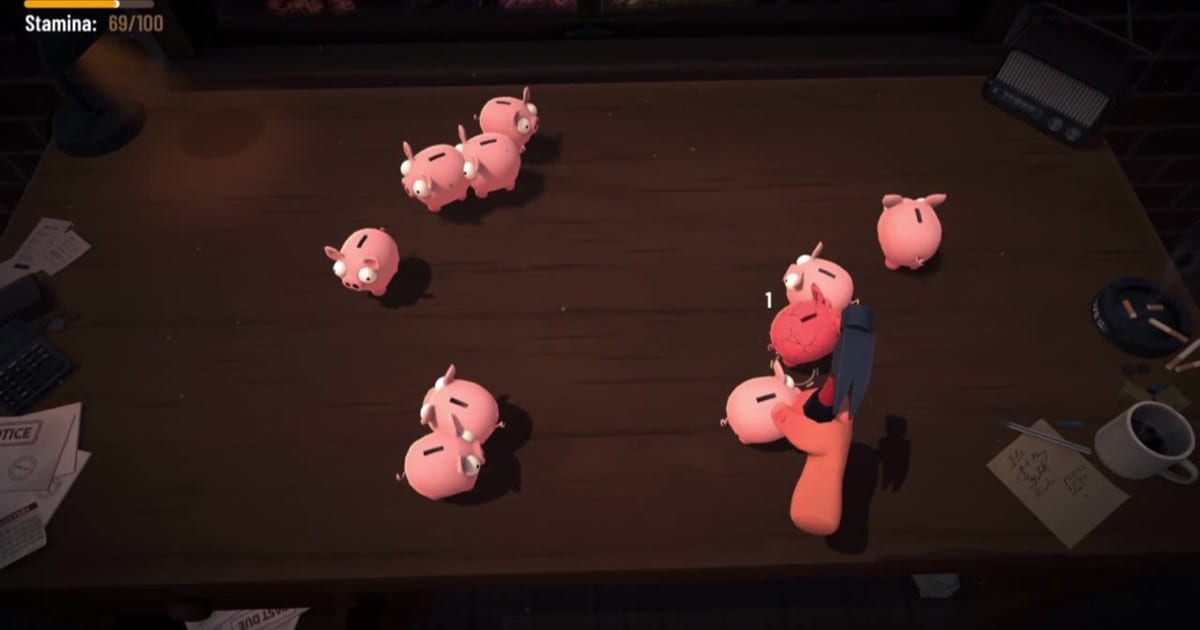
What Rike Games confirmed after launch
Bills Must Be Paid went live on Steam July 29, 2026. On July 30, Rike Games posted a launch thank-you message confirming the full game is available now and sharing practical details demo veterans need before their first paid session. By August 1, Steam user reviews had climbed past 1,200 ratings with roughly 96% positive scores—Overwhelmingly Positive territory for a first premium release from a two-person studio. This page collects those verified post-launch notes so you do not waste time hunting scattered forum threads during launch week.
The studio thanked players who wishlisted, reviewed, shared feedback, and supported the two-person Frankfurt team through a chaotic pre-launch period that included a stolen demo clone going viral on Douyin. The real finished game ships with prestige, desk gadgets, betting, more piggies, more hammers, and an ending none of that clone contained.
Demo saves do not transfer
The most important post-launch clarification: demo progress does not carry into the full game. Rike Games stated this directly in their launch post. If you invested hours in the Steam demo or browser build, your coins, upgrades, perk history, and run progress stay in the demo slot.
The full game starts fresh because several systems changed under the hood. Prestige and bankruptcy work differently than demo expectations. Some skill tree nodes differ. Balance tuning shifted between demo builds and the release candidate. Treat the full game as a new start with transferable knowledge, not transferable saves.
Read Full Game vs Demo for a feature comparison and Launch Day Guide for a structured first hour in the paid build.
What changed between demo and release
Beyond missing save transfer, expect these differences on day one of the full game.
Prestige and legacy points only exist in the paid build. Bankruptcy now feeds rings and bracelets instead of feeling like a pure reset. Desk gadgets, betting shops, and the debt-free ending are full-game only. Steam Cloud, Family Sharing, and 27 achievements require the Steam purchase described in Steam Achievements.
Skill tree paths may feel familiar but node costs and effects can differ from your last demo session. Do not assume old upgrade routes are still optimal. Re-read Skill Tree Guide and Best Early Upgrades with fresh eyes.
First-week tips for new buyers
Launch week runs smoother when you treat session one as calibration, not speedrunning every shop.
Start one controlled run before opening prestige, gadgets, and betting simultaneously. Confirm hammer comfort, bill timing, and stamina habits still feel correct. Then read Prestige System, Desk Gadgets, and Betting Mechanics one at a time.
Use the bill grace window strategically. When you can afford a bill but the timer still has room, bank the cash and invest in the skill tree first. Pay before collector pressure starts. The full guide is in How to Pay Bills.
Enable Steam Cloud before switching PCs so achievement progress and saves follow your account. If Windows startup crashes persist, try -force-d3d11 from Controls Guide or Demo Patch Notes.
Launch pricing reminder
The intro 30% discount runs through August 12, 2026 on Steam. Base price is $6.99 USD with regional adjustments. See Price and Discount for bundle math, browser free options, and refund context.
Buying during launch week is reasonable if the demo already felt sticky and you want prestige, gadgets, the ending, and achievements. Stay on the free demo if bill timing still confuses you.
Playtime expectations
Early buyer reviews consistently describe a three-to-five-hour first clear, with some completionists finishing all achievements in under five hours. Bills Must Be Paid is a short active incremental with an ending, not an endless idle spreadsheet. Plan purchases around that scope and use Game Ending plus Steam Achievements if you want structured goals after the core loop clicks.
Community feedback early reviews mention
Early Steam reviews highlight both the satisfying smash loop and some variance frustration. Piggy spawn mixes and loot rolls can swing income between runs. That is part of the incremental design, not necessarily a bug. Mitigate variance with consistent hammer routes from Piggy Types, luck investments from Skill Tree, and perks that stabilize income from Perk Selection.
Report reproducible bugs through Steam discussions or Rike Games Discord with OS details. Launch-week threads mention bill UI glitches, achievement tracking edge cases, and perk interactions such as Shockwave canceling first-hit bonuses—include steps to reproduce when posting. Launch-week patches may adjust balance; check Updates Hub and Launch Week Guide before trusting outdated demo numbers.
Several reviews mention buying to support Rike Games after the Douyin clone story. Read China Clone Story for verified background.
Where to go next
Demo graduates should read Launch Day Guide, then Full Game vs Demo, then the prestige and gadget pages. Brand-new players should start at Getting Started regardless of platform. Completionists should pair Game Ending with Steam Achievements once the core loop clicks.
Frequently Asked Questions
Quick answers for the live Steam game, free demo, and browser play.
Does demo progress transfer to the full game?
No. Rike Games confirmed demo saves do not carry over. The full game uses different prestige, balance, and skill tree tuning.
Why did Rike Games disable save transfer?
Prestige, bankruptcy, skill nodes, and balance differ enough that a clean start avoids broken or misleading demo saves.
What should I do first in the full game?
Run one calibration session, then read Launch Day Guide, Full Game vs Demo, and Prestige System before opening every new shop.
Is the launch discount still active?
The 30% introductory Steam discount runs through August 12, 2026. Verify live pricing on the store page.